
Stop retyping supplier products into Shopify
Upload a wholesale invoice or paste a supplier link. CopyLion drafts every product with its description, images, variants and pricing, ready for you to review.
5 free product fetches to start. Paid plans from $9/month.
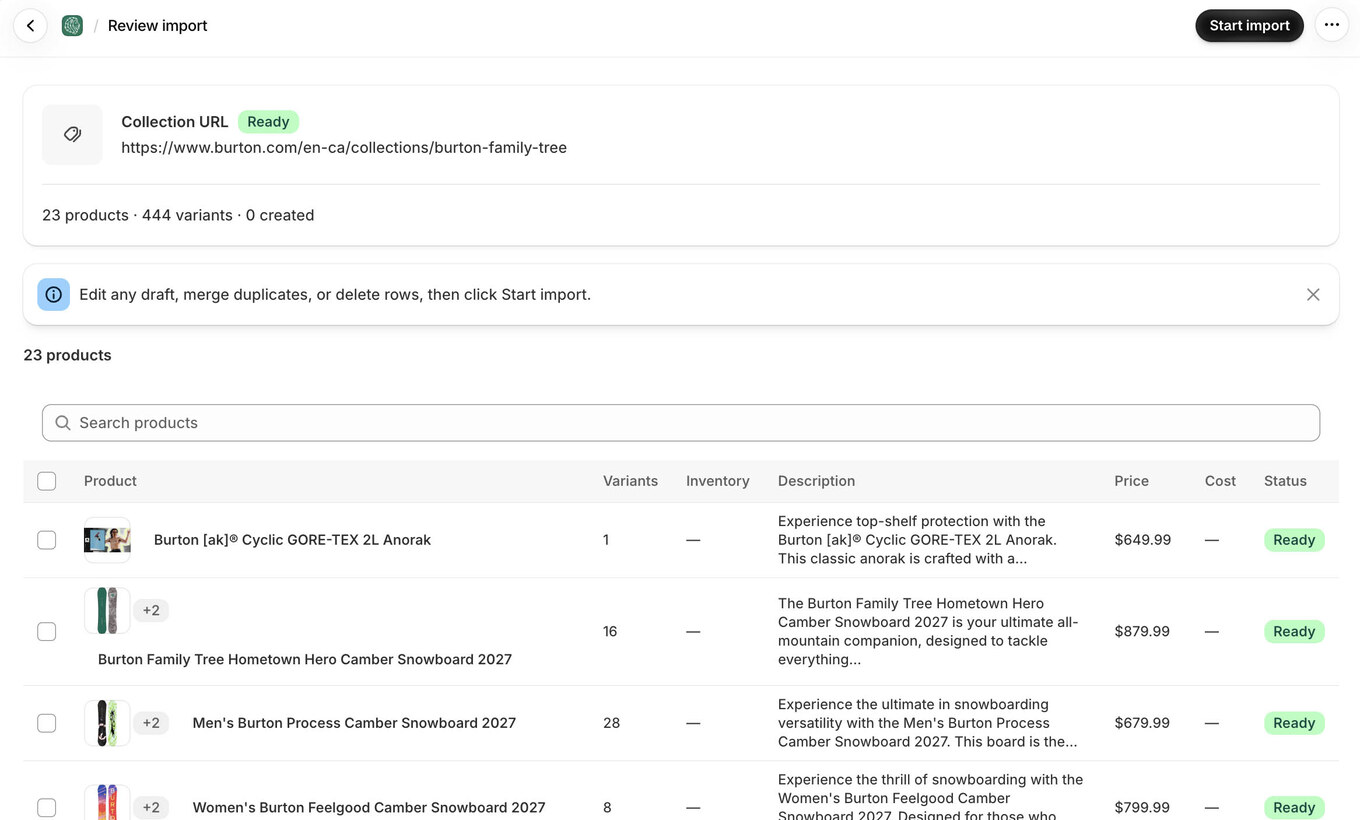
- Invoices as PDF, photo or text
- Whole collections from one link
- Nothing published without review
- No theme changes
From supplier paperwork to finished listings
CopyLion does the copying, matching and pricing. You make the final call.
Invoice import
Upload a PDF or photo, or paste the text. CopyLion reads each line item and finds the matching product page.
Collection import
Paste a supplier's collection or category page and CopyLion lists every product link it finds.
Complete product data
Titles, descriptions, options, variants and photos are pulled into a draft you can edit.
Automatic pricing
Retail price and cost per item are set from your invoice, the supplier's price or your markup.
Review before import
Every draft waits in a batch. Edit it, merge variants, or skip it before anything is created.
Better descriptions
Keep the supplier's description or choose a rewritten one, and pick the photos you want.
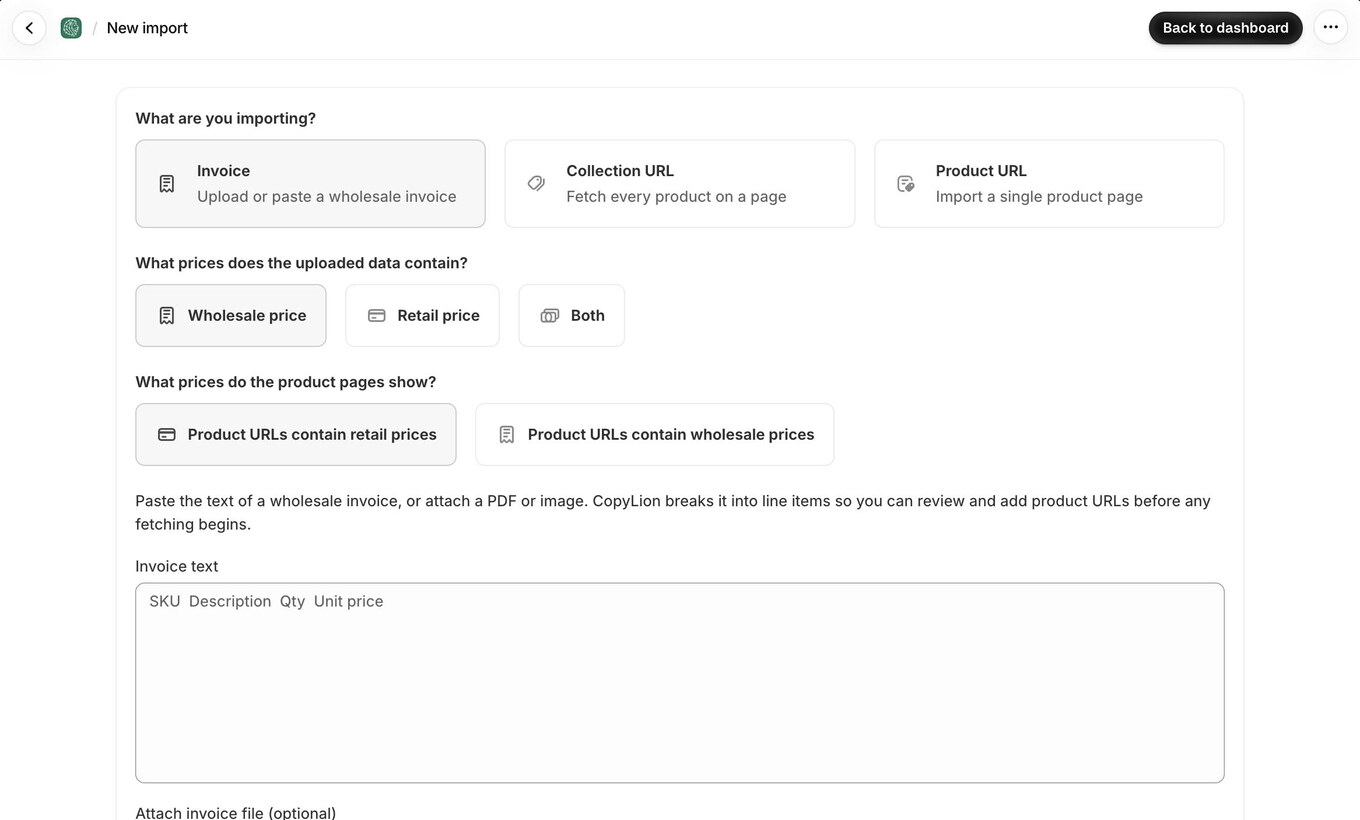
Turn an invoice into a batch of products
Tell CopyLion whether the invoice shows wholesale prices, retail prices or both, then upload it. Each line becomes a product draft.
- PDF, image or pasted text
- Matches each line item to its product page
- Wholesale amounts become your cost per item
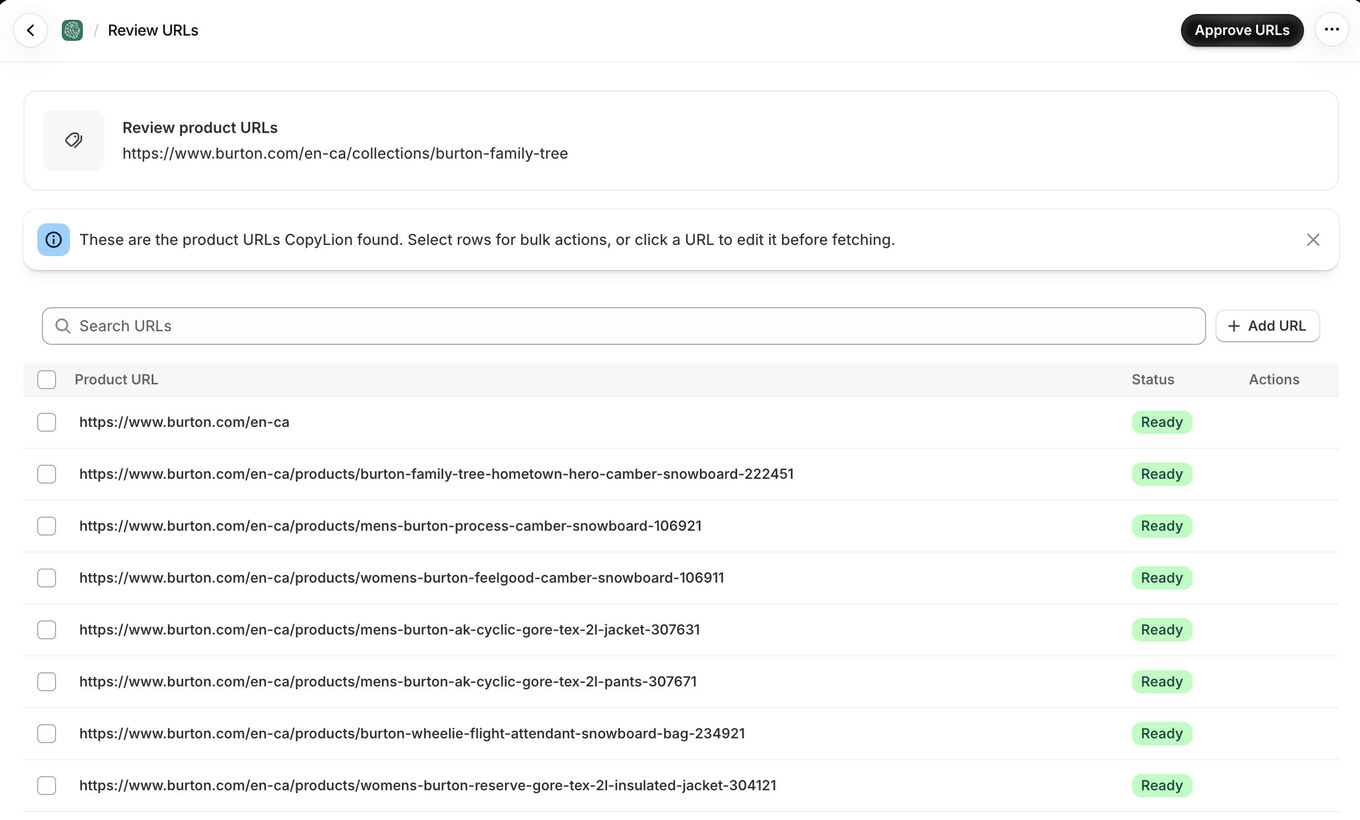
Import a whole collection from one link
CopyLion finds every product on a supplier's collection page. You approve the list before any page is fetched, so you only pay for what you want.
- Paste a link straight into the dashboard
- Add, edit or remove product links
- Single product pages work too
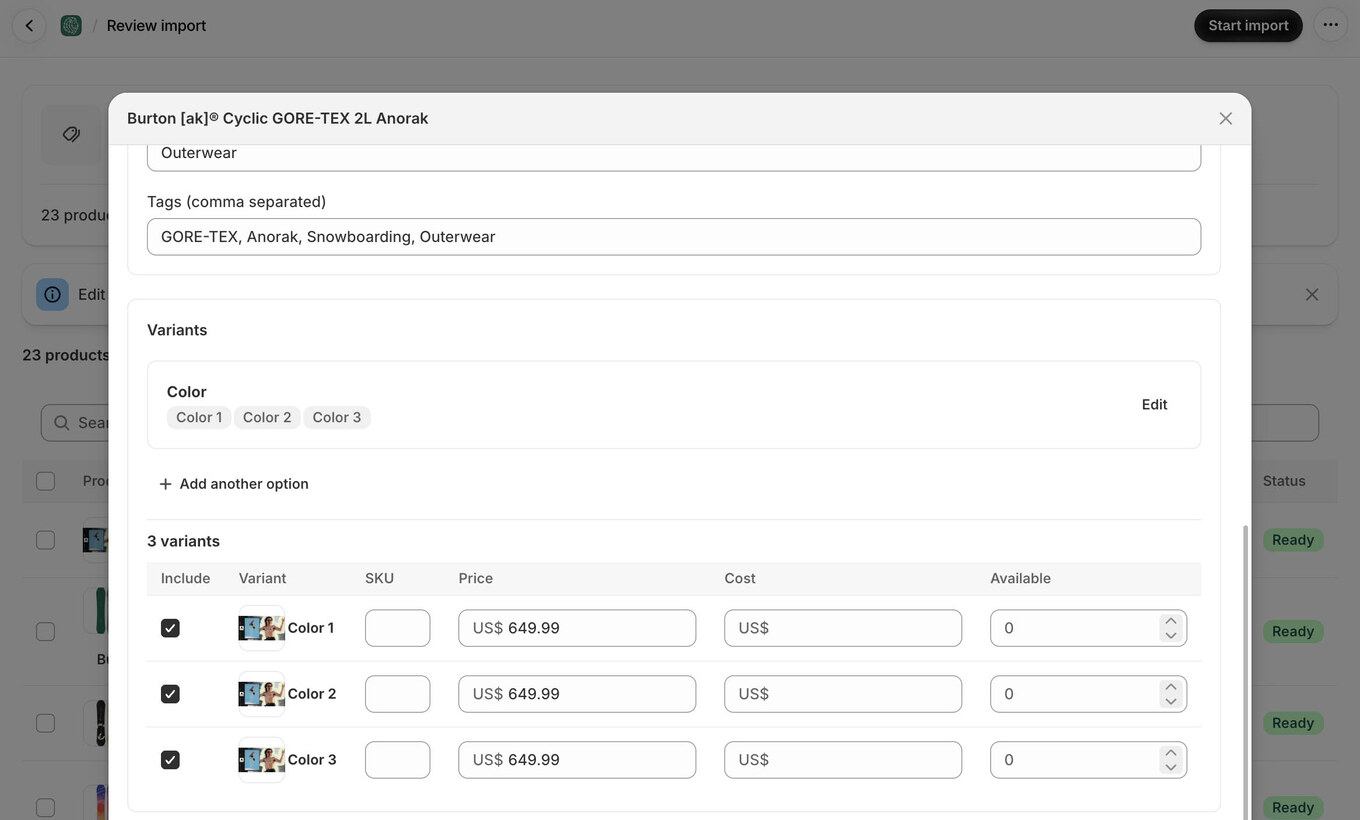
Edit anything before it reaches your store
Open any draft to change its title, description, tags, photos, variants, prices and stock.
- Choose which variants to include
- Group separate items into one product with variants
- Products arrive as drafts by default
Set your pricing once
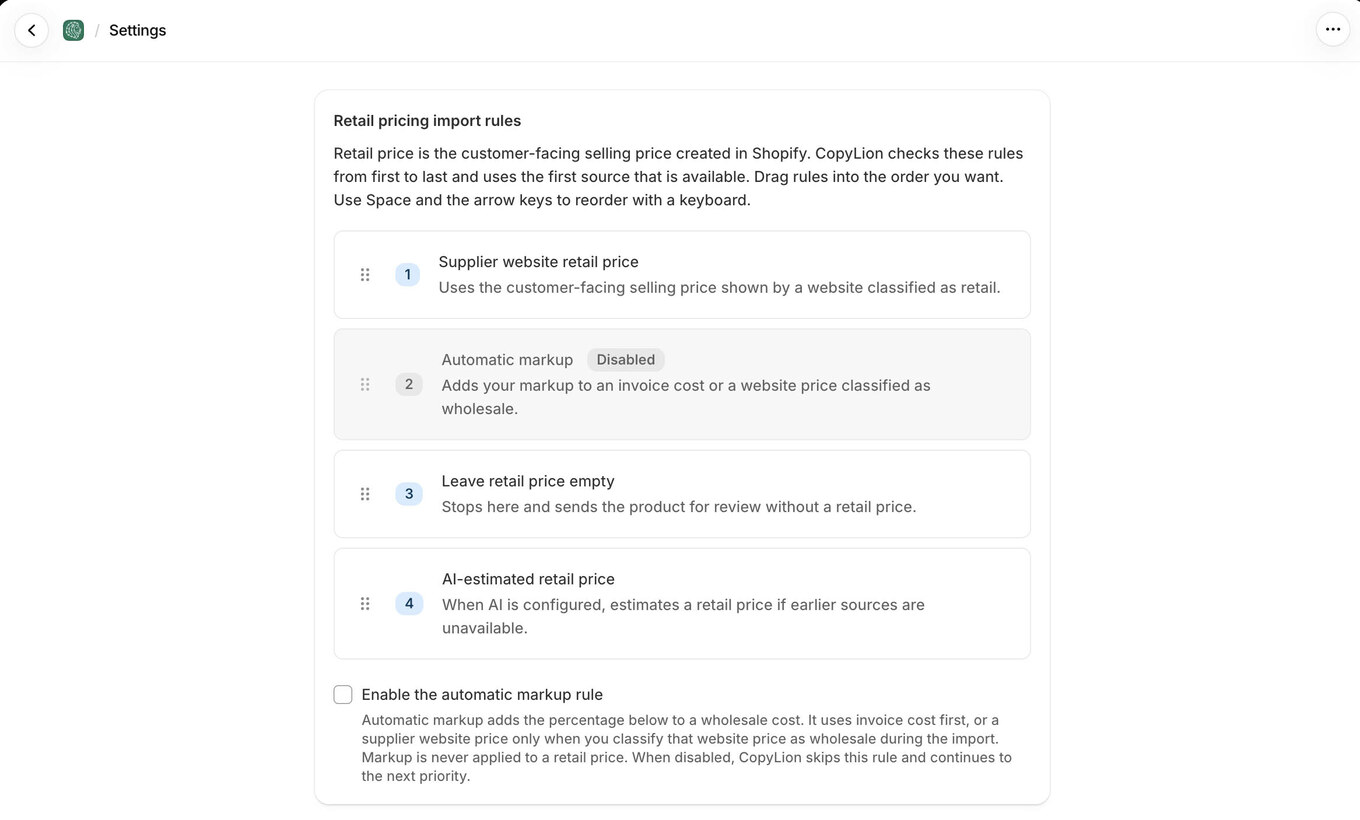
Put your pricing sources in order and CopyLion uses the first one available for each product.
- Use the supplier's retail price or your own markup
- Cost per item from the invoice or a wholesale site
- Limit images per product and per variant
New products in three steps
Add your source
Upload an invoice, or paste a supplier collection or product link.
Approve and review
Approve the product pages to fetch, then check and edit each draft.
Import to Shopify
Click Start import. Products are created as drafts so you can take a final look.
Questions, answered
Which suppliers does it work with?
CopyLion reads public product pages, including stores built on Shopify, WooCommerce and Magento, as well as most other sites that show product details. Only import products you're authorized to sell.
What kinds of invoices can I use?
PDFs, photos or scans of an invoice, or text pasted from one. CopyLion reads the SKU, description, quantity and price on each line.
Will anything change in my store without my approval?
No. Every import waits in a review batch until you click Start import. New products are created as drafts by default, and you can change that in Settings.
How is pricing decided?
You choose the order. Retail price can come from an invoice, the supplier's retail price or your markup on wholesale cost. Cost per item comes from the invoice or a wholesale supplier site.
How much does it cost?
Start with 5 free product fetches. Paid plans start at $9/month and include up to 1,000 fetches a month. See pricing.
How do I get help?
Email support@copylion.app.
Add your next supplier order in minutes
Try CopyLion with 5 free product fetches. No usage charges on the Free plan.